
Announced at Microsoft Ignite 2019 and currently, in preview, Microsoft is now offering a first-party remote “Managed Meeting Rooms” service, where they will remotely manage your Microsoft Teams Rooms systems. It includes:
- Access to online portal
- Customers interact with Microsoft via support tickets that are view-able in the portal
- Proactive Monitoring – Incident reporting e.g. device issues, sign in issues
- Microsoft Endpoint Management integration
- Inventory, health and compliance reporting along with insights, analytics and recommendations
- Remote Patching (Windows, MTR App and Certified Room devices, which firmware update via windows update)
- Online planning advice for your room spaces
- Usage Reporting
- Remote fixing issues where possible
- Coordination of “hands” to do anything on site – today coordinating customer staff but in future could be partners
- Not included: Anything “hands-on” that needs physical work/in-room work, like plugging in a cable, is not included. Microsoft will recommend partners but the customer will pay for these services directly to those partners or customer can select their own partner.
There is a special windows agent the service uses that installs on the MTR.
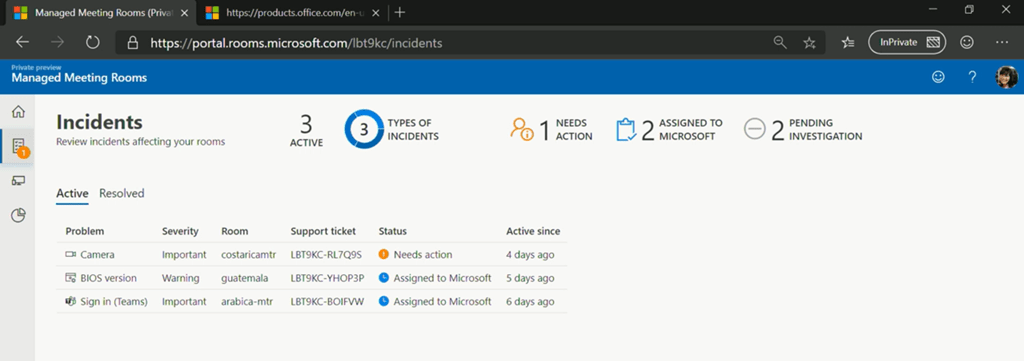
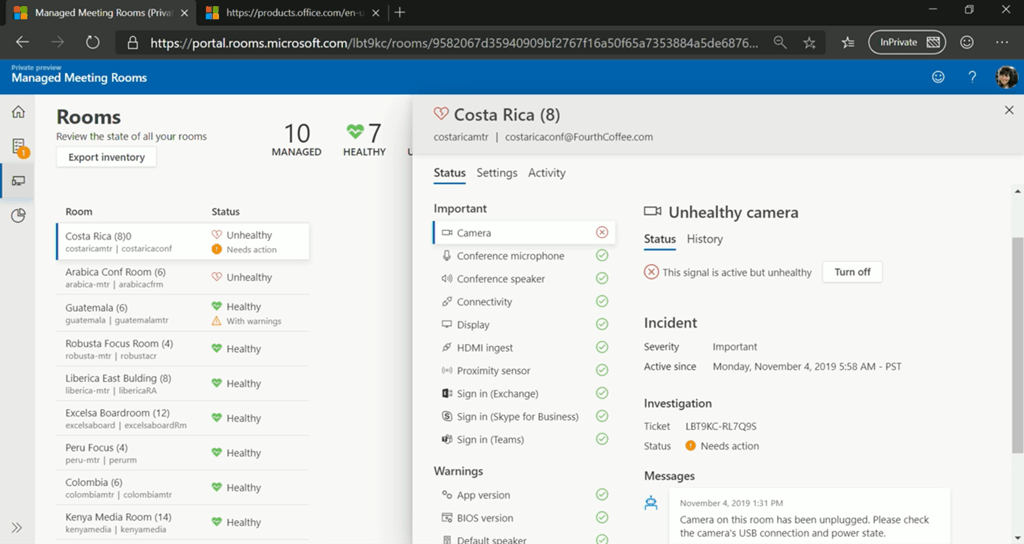
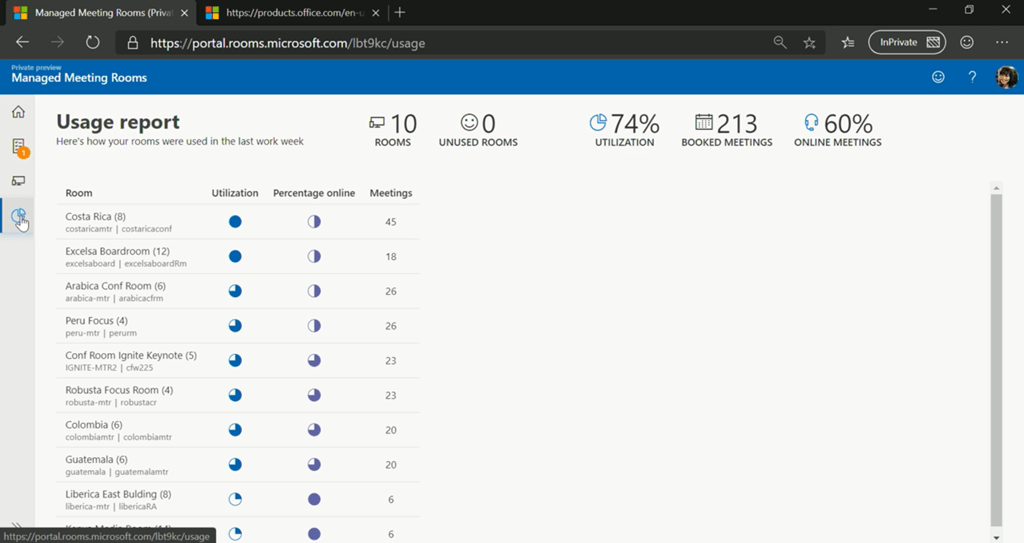
Here are some screenshots of the portal.
Incidents:


Rooms:
Usage Report:
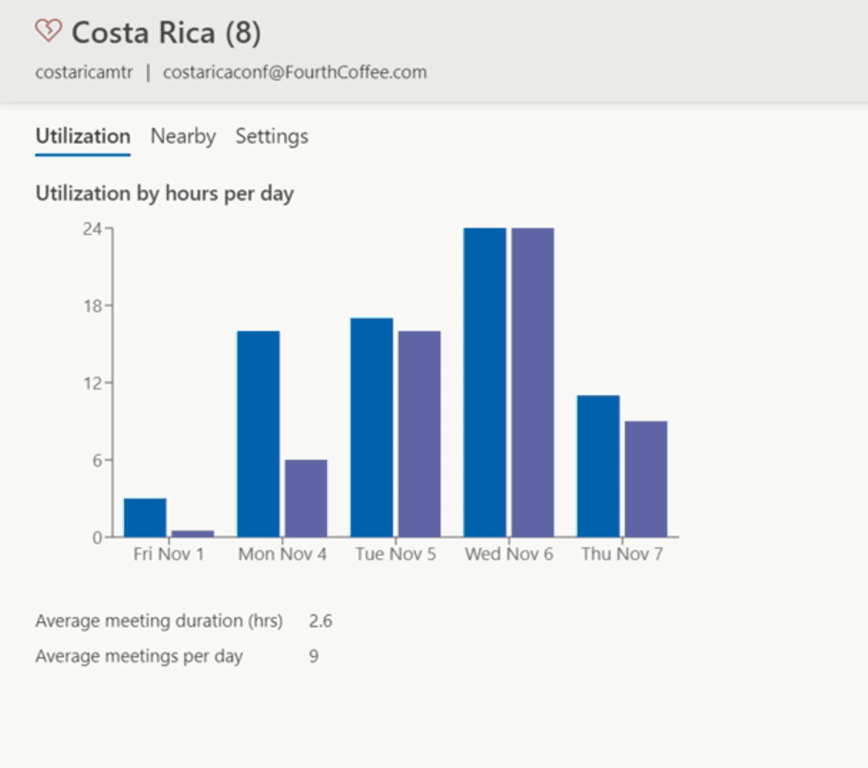
There are over 170 customers in the preview, which is currently managing over 2,000 meeting rooms. A cost of $50 per room per month was mentioned, but this is not yet finalised.
There was a breakout session on the service at Microsoft Ignite, Recording here.
If you’re interested in participating in the private preview, you can register your interest here.
[…] Fuente: Understanding Microsoft’s Managed Meeting Rooms Service […]