There is lots going on in the world of Microsoft Teams and Skype for Business. Here is a roundup of everything you need to know.
New Features added to Microsoft Teams
Lots of new features have been added, including:
- Command Box
- Cards from Apps in Team Chat
- Personal Apps Space
- Who Bot
- App Store for Microsoft Teams
- “Anonymous Join” – anyone outside your organisation can now join a Teams meeting
- iOS apps got the ability to “share from other apps into Microsoft Teams”
For details check out:
What’s new in Microsoft Teams – January update – Anne Michels on Tech Community
The Skype for Business to Microsoft Teams roadmap got some minor update to reflect the released features.
Microsoft Teams App Studio (Preview)
Microsoft Teams App Studio (Preview) makes it easy to start creating or integrating your own service, whether you develop custom apps for your enterprise or SaaS applications for teams around the world. Teams App Studio was created to simplify and streamline the process of creating real apps.
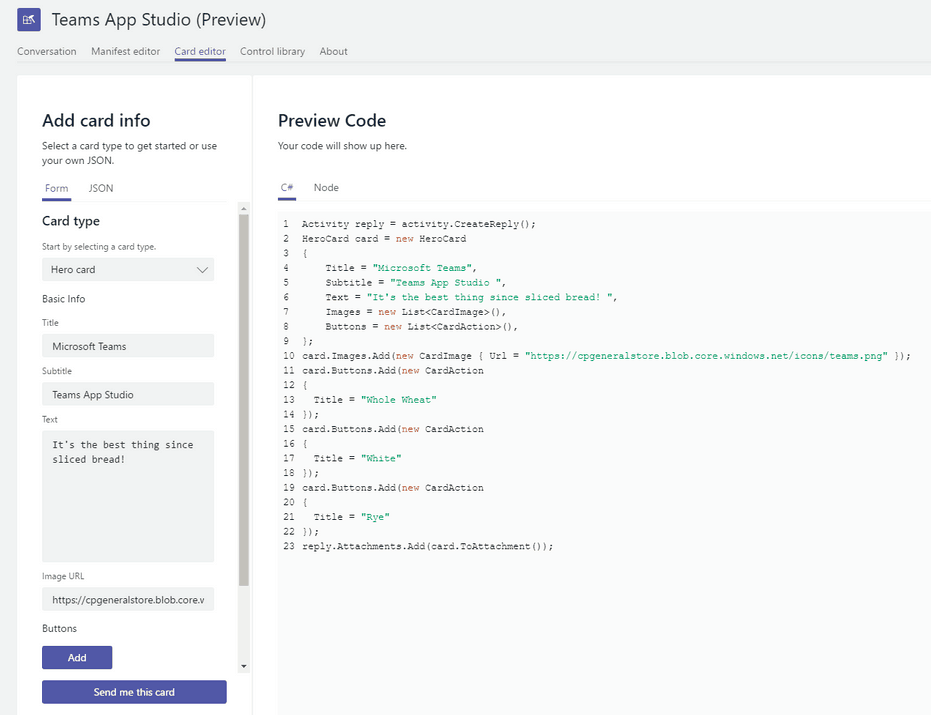
Getting Started with Microsoft Teams App Studio (Preview) – Docs.Microsoft.com
Microsoft Teams App Studio: Video Walkthrough – Tom Morgan’s blog
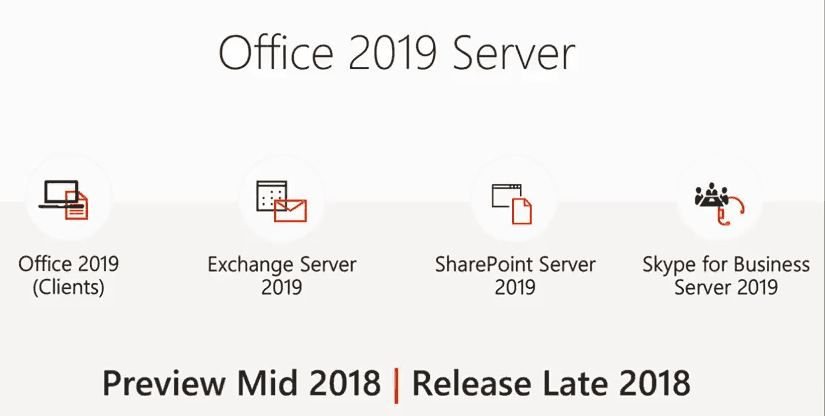
Skype for Business 2019 Client will be Click to Run Only and require Windows 10, Skype for Business Server 2019 will require Server 2016/SQL 2016 or higher
This was already announced at Microsoft Ignite in 2017, and I’ve talked about it previously. However it’s now hit the mainstream news sites as it was announced in a Microsoft blog, Office 2019 (including Skype for Business 2019 client) will be click to run and Windows 10 only.
- Office 2019 will ship in H2 of 2018. Previews of the new apps and servers will start shipping in the second quarter of 2018.
- Office 2019 apps will be supported on:
- Any supported Windows 10 SAC release
- Windows 10 Enterprise LTSC 2018
- The next LTSC release of Windows Server
- The Office 2019 client apps will be released with Click-to-Run installation technology only. We will not provide MSI as a deployment methodology for Office 2019 clients. We will continue to provide MSI for Office Server products.
- Office 2019 will provide 5 years of mainstream support and approximately 2 years of extended support. This is an exception to our Fixed Lifecycle Policy to align with the support period for Office 2016. Extended support will end 10/14/2025.
- There is no change to the support term for existing versions of Office.
Also a reminder that Skype for Business Server 2019, due this year, will only support Windows Server 2016 and SQL Server 2016, Microsoft is getting tougher on Enterprises and trying to force them up to the latest and greatest platforms/versions. SfBS 2019 will not support in-place upgrades from down-level versions (not a feature I saw many enterprises use) but can be deployed alongside SfBS 2013 or SfBS 2015 (but not both, 2 major versions only in a topology).
Check out the Plan your UC refresh correctly: Skype for Business on-premises vNext Ignite 2017 video for more details. All pre-release information is subject to change.
Updated #Skype for Business Server 2015 Debugging Tools (Feb 2, 2018)
Thanks to Michael LaMontagne for spotting this one. Download here

Thanks to Greig Sheridan for the screenshot.
Also in case you missed it, Microsoft PSTN Calling Plans for Canada is now in preview, and the great Teams on Air has now been launched as a podcast, find it everywhere podcasts are available.
Did I miss something? Please let me know.
Be First to Comment