Microsoft Teams Rooms just got a big update, 4.0.105.0 is now rolling out via Windows store. Microsoft’s Sohail Tariq broke it down in a good blog. Here’s my take, mostly a recap of the original blog.
Windows store app rebranded to Microsoft Teams Room?
This might not make sense to you. They are Microsoft Teams Rooms, right? What’s the rebrand?
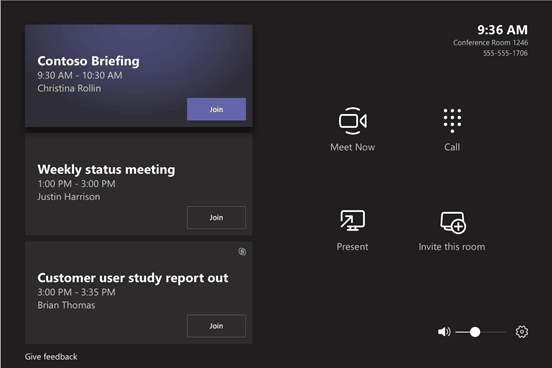
Well yes, what was “Skype Room System v2” where marketing rebranded to Microsoft Teams Rooms in January 2019. However, under the covers, the windows store app that runs in kiosk mode was still “Skype Room System”. Now the app will be “Microsoft Teams Room”, but also the update brings Teams brand colour, iconography and theme to Microsoft Teams Rooms.
Old UI

New UI

Microsoft Whiteboard support
Microsoft Teams Rooms can now receive and render Microsoft Whiteboard on the front of the room displays when shared from PC/ Web/ Mobile Teams client. If you have /or add touch front of room displays, you can contribute to the shared Microsoft Whiteboard in the room to collaborate with remote participants.
If you have a touch screen, there is setup required. You need to log in using an Administrator account on Microsoft Teams Rooms device and use settings for “Calibrate the screen for pen or touch input” to calibrate additional touch displays in the room.
Support for starting a whiteboard session from Microsoft Teams Rooms will be added in future releases.
Custom Theme updates
Microsoft Teams Rooms support custom themes. Previously you could customise the console background as well as the picture on the main screen(s). In this update, you can now only customise the background image on the room displays, not the meeting control console. This also means the meeting room console meets accessibility requirements and is always consistent for users.
Ilya Bukshteyn said “at this point, we are not looking to bring back custom background on the console. We had lots of customer issues with this feature, and it was difficult for customers to set a background which wouldn’t interfere with the console UX.”
Rate my call now in Microsoft Teams Rooms
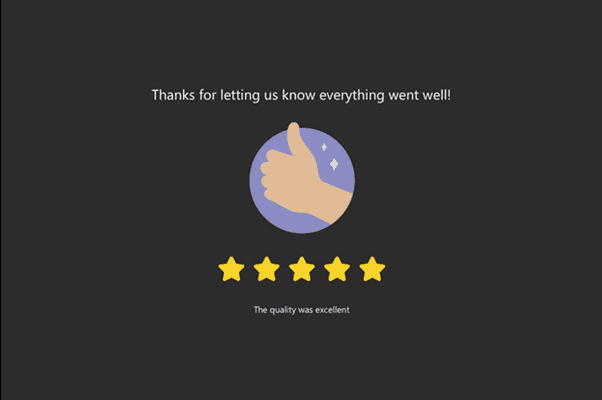
At the end of the call you will now be given the option to rate the experience, just like on the desktop client. This dialogue dismisses automatically after a few seconds if no rating was provided.
I was super hopeful that this update would address the limited layout options specifically with Teams meetings but no luck so far (The popular gallery view is not available in Teams meetings but still is for Skype).
I was also hopeful for the layout button in this update. I’m at a loss for why Microsoft isn’t giving this higher priority. It is by far the biggest gap in the Microsoft Teams Rooms app. Our organization is in the process of moving to Teams only and our staff are extremely displeased that they are losing the layout capability with Teams when it was available in Skype.