Update May 2021: If your tenant has moved to OneDrive for Meeting Recording storage, here are the steps to share a recording externally or download it to upload to Stream: Share Microsoft Teams Meeting Recordings on OneDrive with External Users – Tom Talks
Microsoft Teams has a great ability to record a meeting in the cloud and automatically store it in Microsoft Stream.
Cleverly, by default, the meeting recording link on stream will only be accessible to people within the organisation that were invited to the meeting. The organiser of the meeting can download the video by default, all other attendees can only stream it.
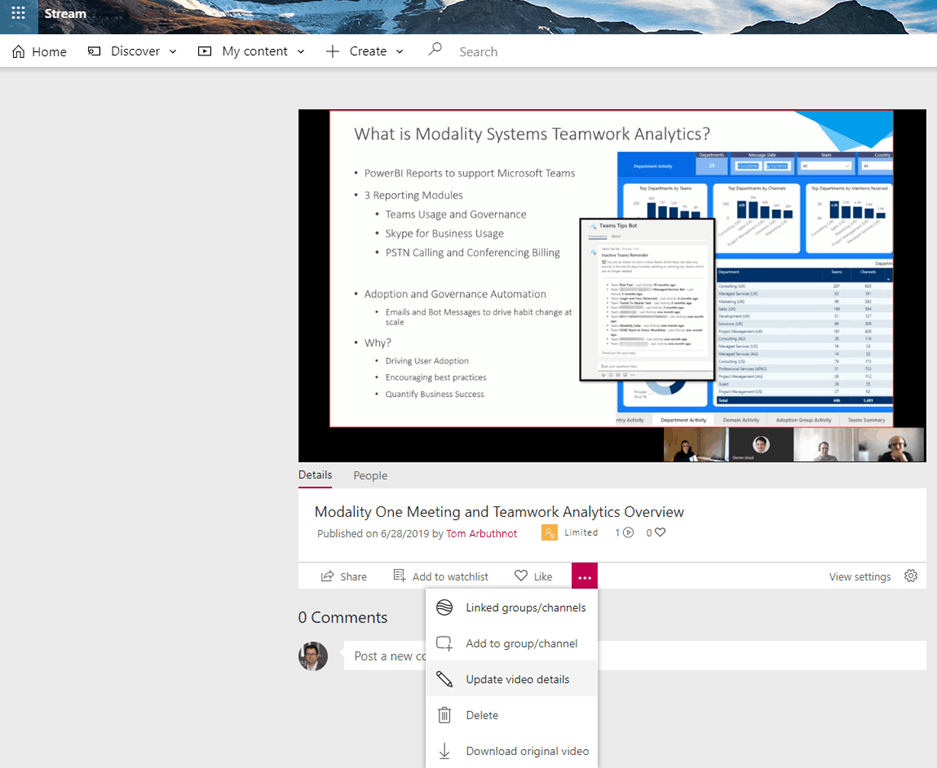
The recording will have a yellow “limited” icon rather than a green “all company” icon

What if you want to share/open up a meeting recording to be accessible to anyone within the organisation?
You must be the meeting organiser (which makes you the video “publisher” in Stream). Click on the three dots and go to “Update video details”
You will see the current people that have access to the recording
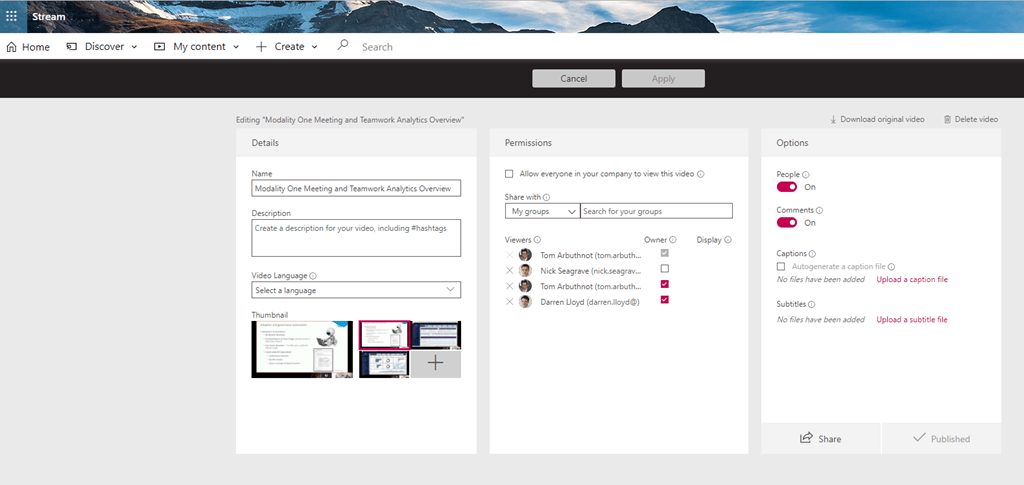
Here you can set the video to be accessible to the organisation

I would also recommend insuring the name and description are well-populated as it makes the search much better.
What about adding videos to Stream Channels?
Sure, that’s a great idea too, here are the steps
What about people external to the organisation?
This is a bit ticker at the moment, but here are the steps
When you set the video to be accessible by the entire organization, does it send an email out to all, or just make it available when they search?
Just makes it available. No email is sent.