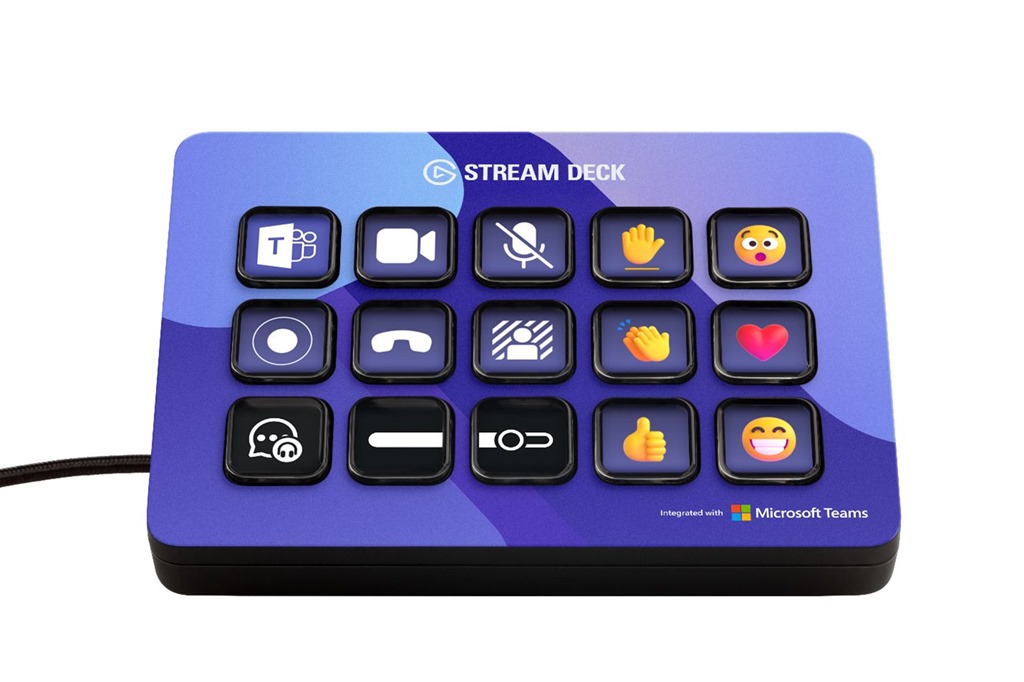
Microsoft Teams has official support for the Elgato Stream Deck. This gives you physical shortcut keys to take the following actions:
- Toggle camera on/off
- Toggle mute on/off
- Toggle record on/off
- Toggle background blur on/off
- Leave the meeting
- Post live reactions
- Raise/lower hand
- Record
Here is how to install Microsoft Teams buttons on the Stream Deck
1. In the Microsoft Teams desktop client (Windows or Mac), Click on the ellipses within Teams, settings, privacy, and manage API

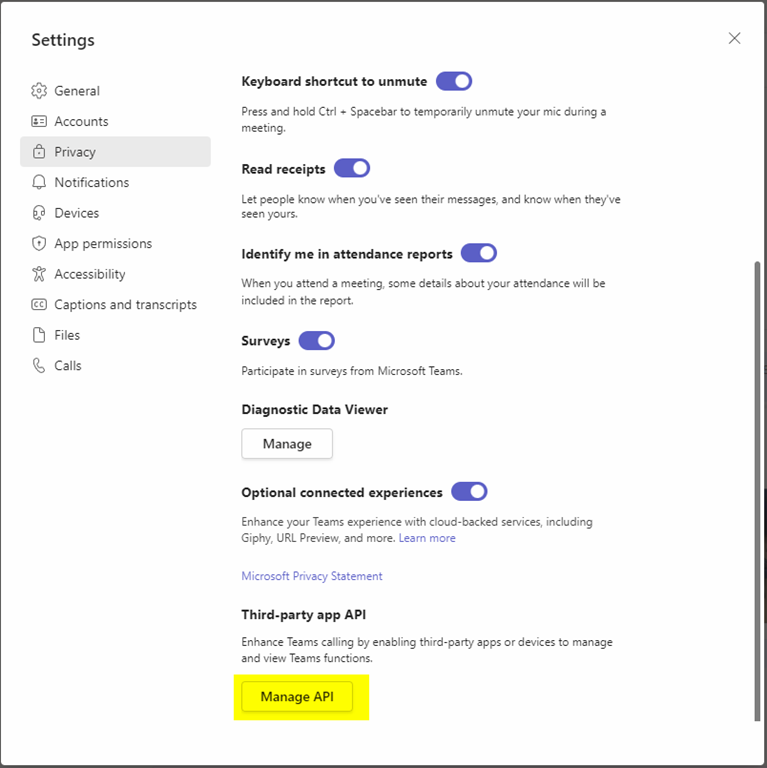
2. Enable API and generate the API token

3. Copy this API, ready to input into Stream Deck software
4. In Stream Deck software, go to the store and Install the Microsoft Teams App
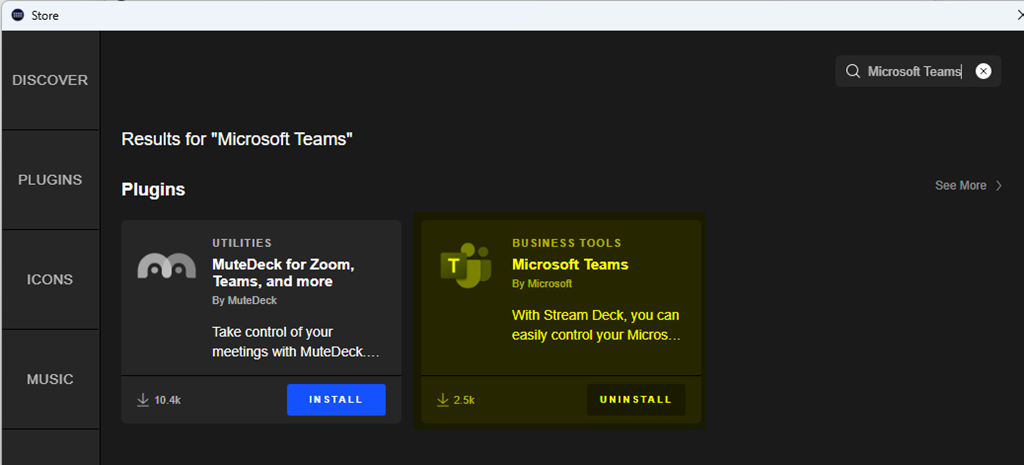
Back in the main Elgato Steam Deck app, scroll down to the Microsoft Teams section, drag and drop one of the Teams actions onto a key, and paste in the API token.

The API token will automatically be applied with any additional Teams actions you add.
Once you join your next meeting or webinar, you’ll see your new Teams keys light up on your Elgato Stream Deck.
It seems the feature was removed from 1.6.00.1381 and back in to 1.6.00.5081. …in case it’s not showing up in your version.
any news on when this is likely to resurface?
Just landed, it’s back now