I recently got an iPhone replacement, and although Microsoft Authenticator app can store your accounts in OneDrive, this doesn’t store the “key code” to generate the one time passwords.
It’s simple enough to re-enable the app
Head to my account in Office 365: https://portal.office.com/account/#home
A little non-intuitively, go to “Update your phone numbers used for account security.”
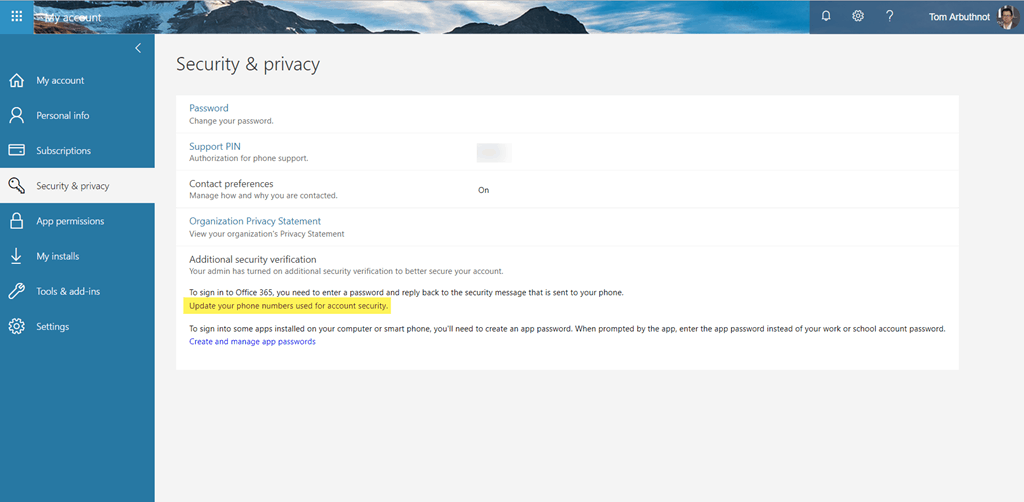
You will be sent to an Azure Active Directory page
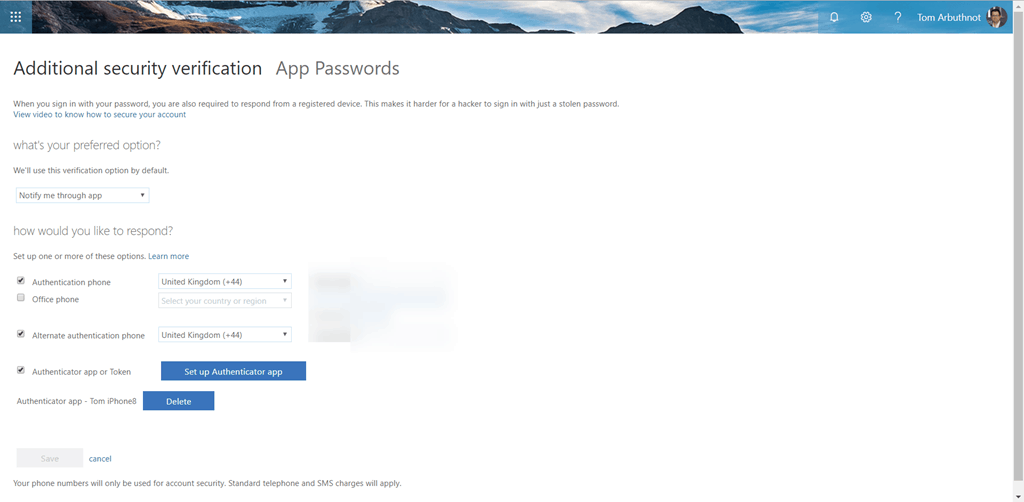
Click on “Set up Authenticator App”
Re-scan the QR code into the Authenticator App
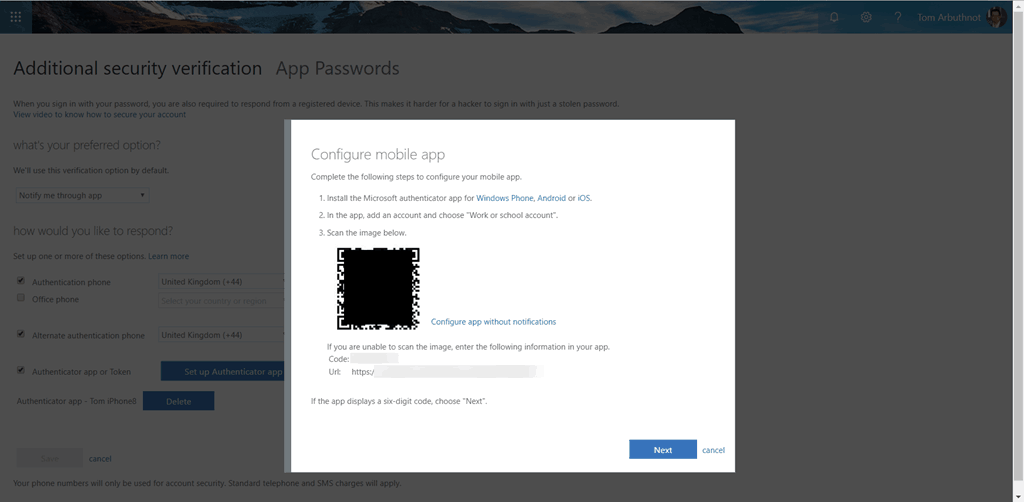
What solution is there in case the configuration fails and the message “Request failed due exceeding the number of allowed attempts” is received
Sorry, I’m not sure. Probably best to raise a support ticket on Microsoft.
This does not work, as the “https://portal.office.com/account/#home” already requires confirmation of the authenticator app, which does not exist anymore.