I hit this on a recent install of Office Web Apps on Server 2008 R2, odd issue. After installing WAC I get this error:

New-OfficeWebAppsFarm : The operation failed. The server did not meet the following prerequisites:
Windows Update KB2592525 must be installed.
Yet when you try to install that patch on Windows it won’t install:

Full credit to Ayman Saleh for the solution on this one:
http://ucbeacon.blogspot.co.uk/2013/03/kb2592525-installation-failed-this.html
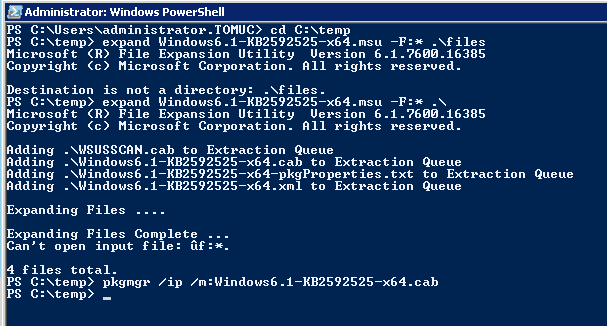
- Download KB2592525 to C:\temp
- In PowerShell browse to C:\temp
- Run, Extract the MSU: expand Windows6.1-KB2592525-x64.msu –F:* .\files
- Install using Pkgmgr: pkgmgr /ip /m:Windows6.1-KB2592525-x64.cab
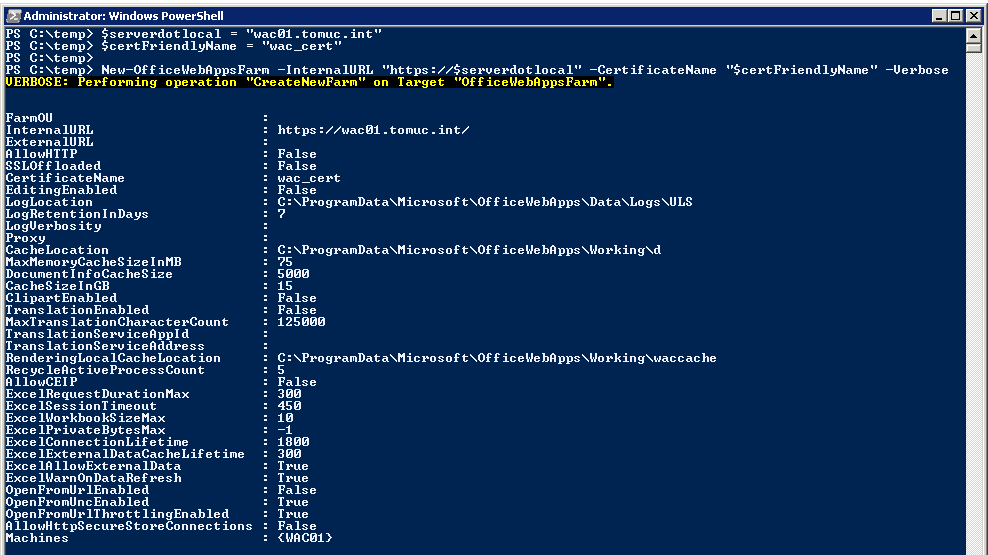
After that I can setup Office Web Apps fine:
Hi Tom,
what is the result of this hack (with the pkgmgr)? We are faking that the update has been installed, even if it isnt?
You Are my Hero!!!!!!!!
Thank you