If you record a meeting in Microsoft Teams the recording appears in Microsoft Stream (think enterprise YouTube).
A neat trick is that it is permissioned so that only those in the meeting can view it. The organiser of the meeting can also download it, attendees can view but not download.
What if you want to share the recording with more people in the organisation or all people in the organisation?
Sharing with specific people in the Organisation
on the video go to edit:

Then under shared with drop down to people
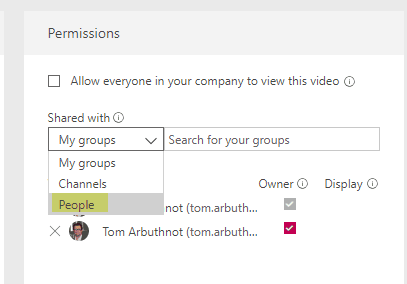
Select the people you want to add
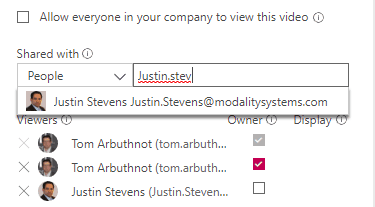
You can also make them an owner. An owner can view the video, edit information about your video, and change who can access the video. If you make a Microsoft Stream group an owner, you’re allowing the contributors of that group to edit information about your video and change who can access it.
Sharing with everyone in the Organisation
Under edit simply tick the Allow everyone in your company to view this video
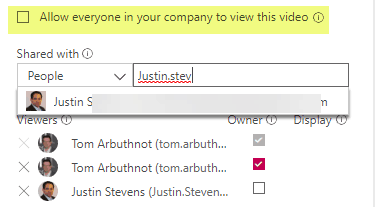
You may still want to add the video to channels or groups for easier discoverability.
Hello,
What happens in my organization, everybody can access the recorded meetings in Stream. How can i restruct access to recorded video to only owner and participants to the meeting.