As discussed in previous blog posts, there are many different Skype for Business clients (mobile, windows, Mac, IP Phone, Rooms etc.) and even within “Windows” there are many different versions (MSI, Click to Run with various Channels, “2013/2015” and 2016), there is also 32-bit and 64-bit.
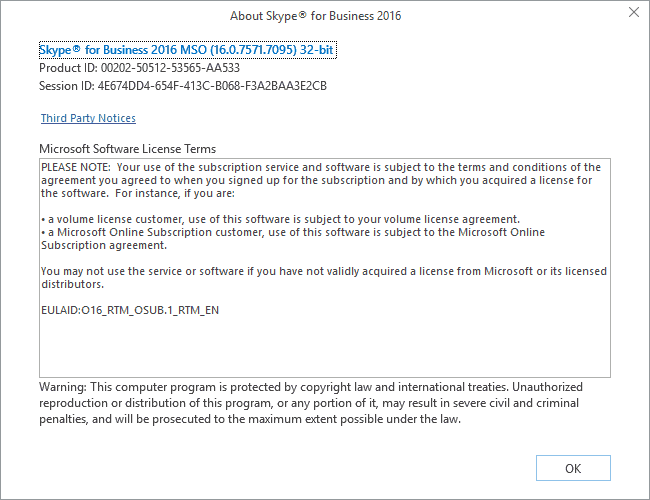
To add further confusion, the “version number” listed in the Skype for Business Help / About is the “MSO” version (Microsoft Shared Office library DLL), not the exe version/Office version. More often than not when people report issues they give the MSO version (understandably), but often you need the exe version/office version.
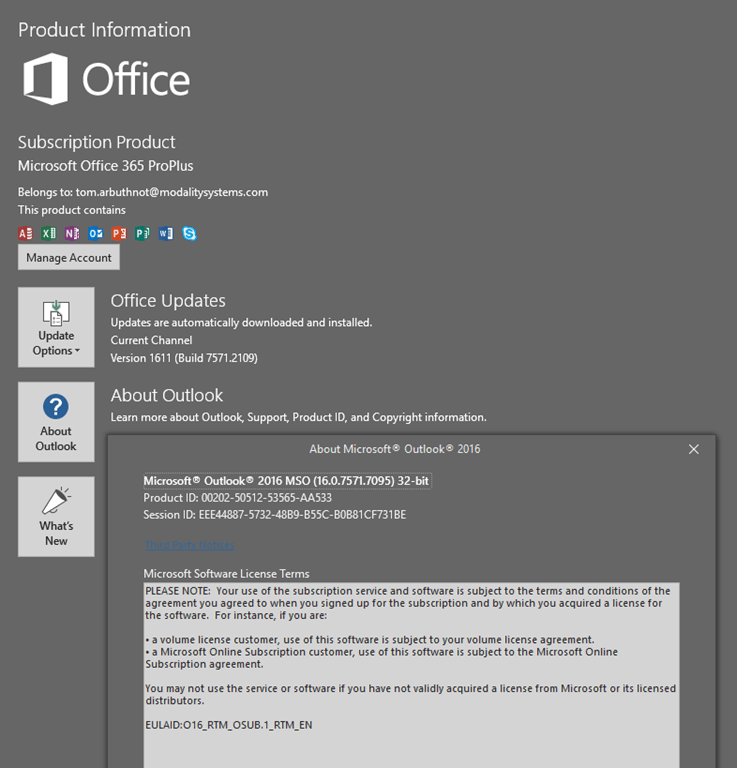
I raised this MSO issue with Microsoft, there is no intention to change this as other office apps (Outlook, Word, Excel) etc. display the exe/office version on the “Office Account” page, then the MSO version in their “About” Page. Skype for Business doesn’t have an “Office Account” Tab. I did get a KB Article issued for my troubles  https://support.microsoft.com/en-us/help/3195481/how-to-check-the-version-of-skype-for-business-2016
Skype for Business only shows MSO version on it’s About Page:
Other Office Apps show the exe/office version on the “Office Account” page, then the MSO version on the About dialogue:
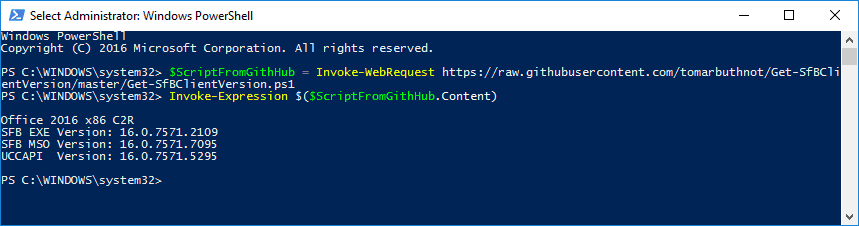
When working issues or otherwise working with Skype for Business, you often need to know the Office version (2013/2016) type of install (MSI or C2R, x86 or x64), the office/exe version, the MSO version and sometimes the UCCAPI version. So I wrote a quick script to pull them all from a client machine.
I wouldn’t do this, but if you trust pulling the script direct from GitHub you can quickly check with these two lines line:
$ScriptFromGithHub = Invoke-WebRequest https://raw.githubusercontent.com/tomarbuthnot/Get-SfBClientVersion/master/Get-SfBClientVersion.ps1
Invoke-Expression $($ScriptFromGithHub.Content)

Or you can get the full script and source here: https://github.com/tomarbuthnot/Get-SfBClientVersion/blob/master/Get-SfBClientVersion.ps1
Feedback welcome
Tom
Hi Tom,
I am a global admin.
working on Win 10 – O365 environment.
Office 2016 clubbed with SFB.
Want to know how to pull report of all my employees to know the version of SFB.
SfB Server or SFB Online?
If SFBO there is PowerShell to pull the CDR, it’s all in CQD but not to the user level, or in Call Analytics but you can only look at one user at a time
If SfBS, it’s in QoE/CDR in the monitoring server, but you’ll need some custom SQL query or a third party product to suck it out in a way that makes sense.
Hope that helps
Tom
[…] can also check their client version on the users PC or with PowerShell, but often with support, it’s easier to do it from the admin […]
Hi Tom,
I’m O365 admin and i’m trying to understand the deployment rings for SFB clients in our environment. There seems to be around 50+ different SFB versions in the environment.
How do check the intervals SFB clients are updated or basically understand the updates deployment rings in the environment.
Hi,
If you are using click to run you should be able to control it from Office 365. You can also use group policy. To get an idea of the distribution of client version check this out: http://tomtalks.blog/2017/12/skype-business-online-client-version-device-firmware-version-distribution-call-quality-diagnostics-online/
Hello Tom,
Can you tell me if there is a way to list all of our Skype for Business users, their device info, and SfB client versions please?
Thank you
Hi Manuel
No single report natively on SfBS or SFBO. On SfBS there is some PowerShell Pat Richard wrote for active users, I’m not sure it lists all 3 in a single table. It would be technically possible in PowerShell: https://www.ucunleashed.com/269
For SfBO, there is nothing native, but Modality’s Diagnostics product could do it (Disclaimer, I work for Modality Systems).
Hello. Thanks for the script!
I’m thinking about porting this within a C# desktop application, but then I was wondering: does this need administrator rights? E.g. in order to read files from Program Files / Program Files (x86)
Thanks
I don’t think you need an admin to read that directory. Good luck with the port, sounds cool
Hi Tom,
Any idea how to check if the client is a Full or Basic client?
Thanks in advance,
Wim
Not that I have discovered, they are essentially the same exe really