Office 365 tenants have a tenant name and alphanumeric tenant ID, often when people ask for the tenant ID, they may just want the tenant name, but either way, here is how to find both:
Tenant Name
Your tenant name is the name specified when you sign up in the format: company.onmicrosoft.com, you can usually find it in your company profile
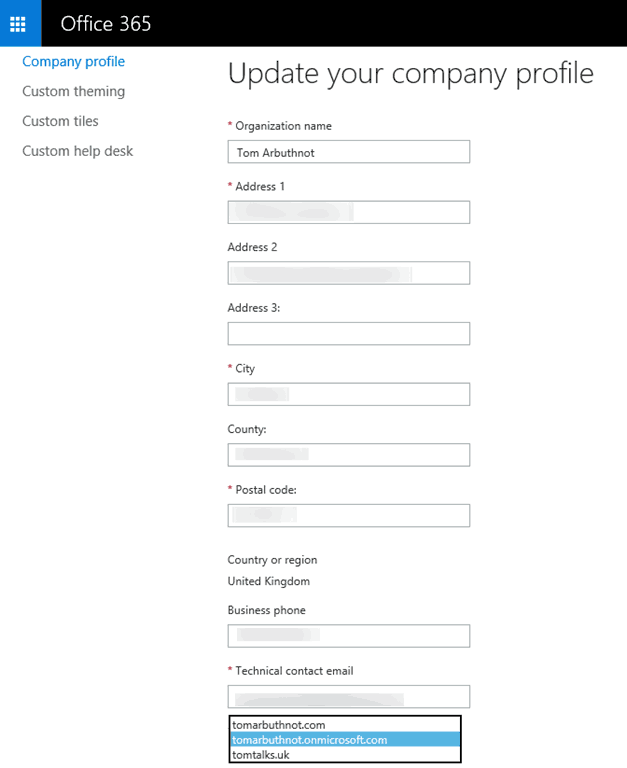
Or domain Options:

To find it with PowerShell, first, install the Microsoft Online Services Sign-In Assistant for IT Professionals RTW from the Microsoft Download Center. Then install the Azure Active Directory Module for Windows PowerShell (64-bit version), and click Run to run the installer package.
Run PowerShell as Administrator, and run Connect-MsolService, you will be prompted for your credentials
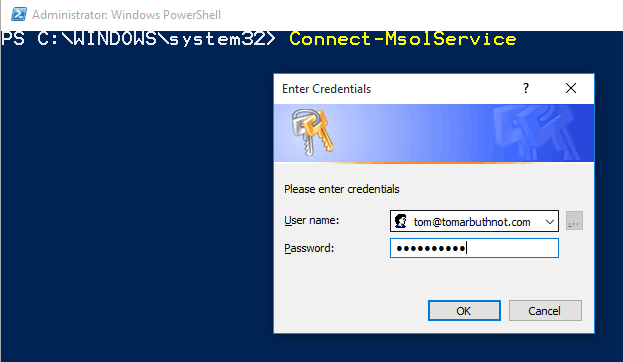
Get-MsoAccountSku, the first element of the AccountSkuID is the tennant ID.

Alphanumeric Office 365 Tenant ID
You can find your tenant ID in the Azure AD portal. You’ll need to be an Azure AD administrator.
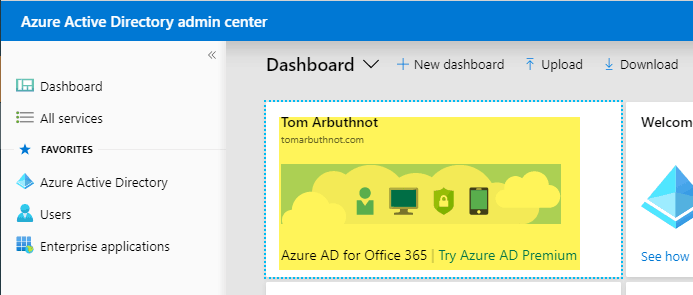
Find your Office 365 Tenant ID in the Azure AD portal
Under Azure Active Directory / Properties. Your “Directory ID” is another name for your Tenant ID. It’s the same.

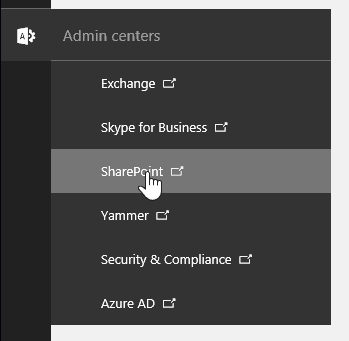
Find your Office 365 Tenant ID on the Office 365 Admin Center under the SharePoint Admin Portal
apps / app permissions
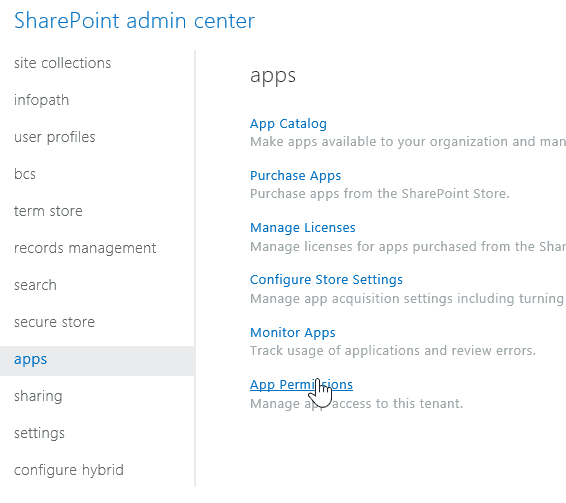
It’s the number behind the “@”

Find your Office 365 Tenant ID via PowerShell
Thanks, Office 365 Tech Expert in the comments. See above to get your tenant’s name
(Invoke-WebRequest https://login.windows.net/YOUROFFICE365DOMAINNAME.onmicrosoft.com/.well-known/openid-configuration|ConvertFrom-Json).token_endpoint.Split(‘/’)[3]

Thats not the tenant ID. The tenant ID is a alpha-numeric unique Identifier.
I’ve signed up for a few things (TAP/Preview) asking for the “tenant ID” and it’s been that, how do you get the alpha-numeric you’re talking about?
thanks
Thanks for comment, looked into this further and have added details for the alpha-numeric ID :-)
Run this powershell script the output will give you the tenant ID
(Invoke-WebRequest https://login.windows.net/YOUROFFICE365DOMAINNAME.onmicrosoft.com/.well-known/openid-configuration|ConvertFrom-Json).token_endpoint.Split(‘/’)[3]
Great option, thanks! have added to the post
FOR THE LOVE OF GOD- THANK YOU. I’ve been searching the net for ages, and all google gives me is azure bullshit, thank you so much from the deepest of my heart. How hard can it be to simply provide such info easily via technet hah..
Hello,
Thanks for the info – it really helped. After using your method I was digging around on TechNet for S4B client policy information that can be queried by TenantID and I located the following powershell command
Get-CsTenant | Select-Object DisplayName, TenantID
This requires a S4B PS remote session to use:
$credential = Get-Credential
Import-Module SkypeOnlineConnector
$sfboSession = New-CsOnlineSession -Credential $credential
Import-PSSession $sfboSession
Nice, thanks for sharing the method!
Tom
Thank you for the SharePoint apps solution, magic!
[…] https://tomtalks.mystagingwebsite.com/2015/09/how-to-get-your-office-365-tenant-id/ for more information on finding tenant id, […]
Good article!
My team really got sick of trying to find the tenant Id for our O365 and Azure projects. The devs, the support team, the sales team, everyone needs it at some point and never remembers how to do it.
So we build this helper site in the same vein as whatismyip.com. Hope you find it useful!
https://www.whatismytenantid.com
Nice tool!
Hi Tom,
Thanks for posting this.
It was a quick help.
Talha.
Glad it helped :-)
Is it possible to go the other way – you have the ID and you want to find the domain?
Good question. Not that I am aware of, but will ask around.
is there a solutioj?
[…] How to get your Tenant ID – by Tom Arbuthnot […]