One of my machines was inexplicably running out of hard drive space on it’s OS drive. I cleared it down a couple of times, and within a day or two it was full again

I turned to the tool that solves all problems, PowerShell. I wrote a quick and dirty script to take a starting directory, and recurses all directories, measuring the size for each one, You can find the script on my Github here:
https://github.com/tomarbuthnot/Get-DirectorySize
It does error on some protected paths, even when run from PowerShell as an administrator, I think you could get around that by running it as a service account, but I didn’t need to in this case.
I checked the whole drive, which took some time, and found the following:

Hmm, that’s a little on the large side:

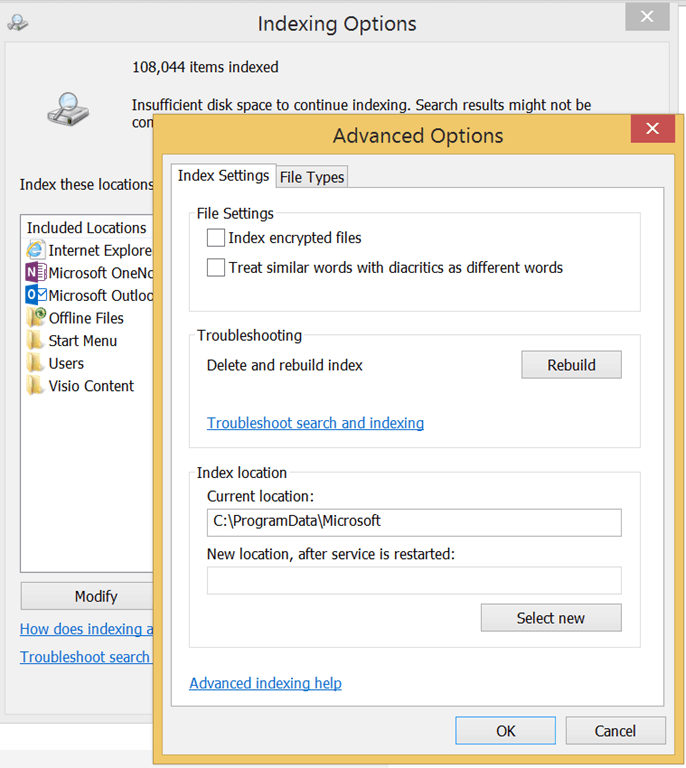
It seems I hit this bug, which causes the windows.edb which is the windows search cache, to bloat out.
A quick rebuild and so far it seems fine.
I’m sure I could have found a tool to map out the directory size/could have searched for single large files, but it’s nice to have a tool as flexible as PowerShell to quickly nock up a script to help you troubleshoot issues
You should try SpaceSniffer. It’s not PowerShell, but it’s still cool! It maps your drive out into coloured blocks so you can really easily see where the space is going. Good for those of us with big VMs and small SSDs!
good to know, may take a look :-)
[…] had this a couple of times now, so thought a quick post might be […]