Unsurprisingly, Microsoft licensing terminology can be quite complicated.
When you start looking at Microsoft 365 Licences in PowerShell or Microsoft Graph it can get confusing.
Microsoft will refer to the “E bundles” as “Plans” in their marketing.

But the Office 365 Portal will refer to the same bundle as a “Licence”. Which is the “Licence Plan”

Then it will refer to “Apps”, which refers to the enabled “service plans” for that user. See below for more explanation of these terms.

Licence Plan / Office 365 Plan / Microsoft 365 Plan / SKU / SkuPartNumber / Product Name / SkuID
Are all different names for the same thing. A Licence Plan gives users access to many services defined in those plans.
They have a product name like “Office365 E3” and String ID like “ENTERPRISEPACK” for Office 365 Enterprise E3. Each Plan also has a GUID. e.g. “6fd2c87f-b296-42f0-b197-1e91e994b900” for Office 365 E3.
PowerShell uses the String ID as SkuPartNumber. Microsoft Graph uses the
See Office 365 plan options for more detail of each plan.
You can get your plans in PowerShell with Get-AzureADSubscribedSku | Select SkuPartNumber

You can look up the assigned licenses for a user, but the PowerShell returns the GUID only, so you have to cross reference
(Get-AzureADUser -objectid tom@domain.com | Select-Object AssignedLicenses).AssignedLicenses

I can’t find a perfect master reference from Microsoft, but they all google
Service Plan / Service / ServicePlanID
Services are the Office 365 products, features, and capabilities that are available in each licensing plan, for example, Exchange Online. Users can have multiple licenses assigned to them from different licensing plans that grant access to different services.
A user might have a Licence Plan but have some services enabled or disabled by their Admin. E.g. I might have Microsoft Office 365 E5 but have Phone System disabled for my account.
We can see that a Licencing Plan contains many Service plans in PowerShell.
(Get-AzureADSubscribedSku | Where-Object {$_.SkuPartNumber -eq “STANDARDPACK”} | Select-Object ServicePlans).ServicePlans
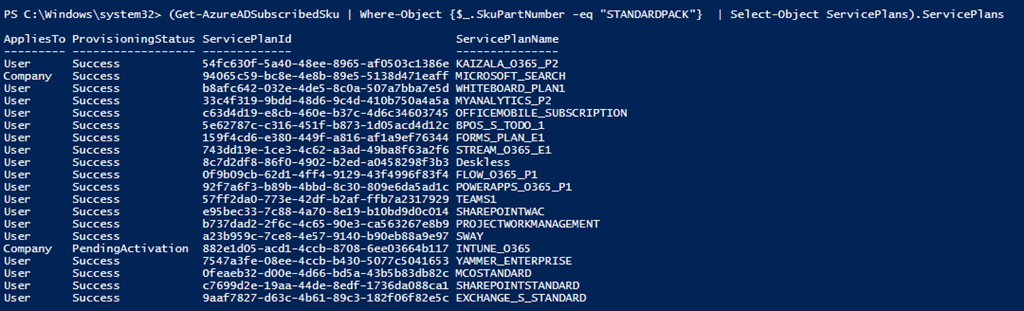
Each Service plan has a ServicePlanID, 57ff2da0-773e-42df-b2af-ffb7a2317929 for Teams and a Service Plan Name, e.g. TEAMS1 for Teams
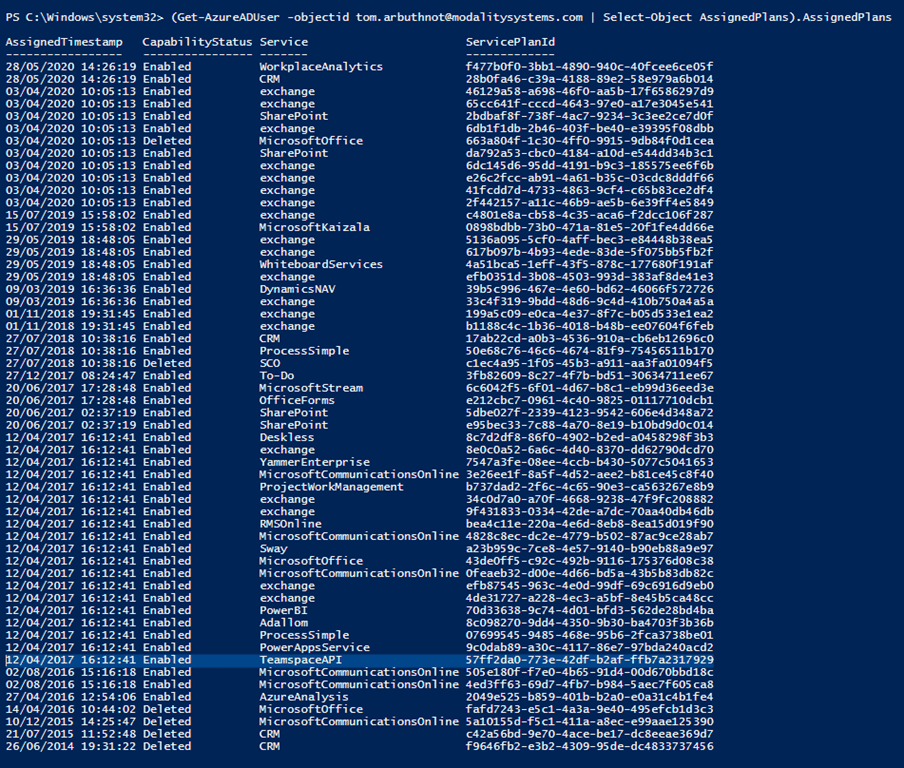
You can look up the assigned service plans for a user.
(Get-AzureADUser -objectid tom@domain.com | Select-Object AssignedPlans).AssignedPlans

Interestingly we see another Service name here, for Teams its TeamspaceAPI. You can also see if they are enabled or disabled for that user.
Reference
View licenses and services with Office 365 PowerShell
Be First to Comment