Interesting little compatibility bug I came across. Poly Lens, the Poly desktop client that allows you to configure your poly USB devices was not showing any camera controls (brightness, contrast, sharpness etc.)

As above I was not seeing any of the controls. This is what it should look like

I found and verified with Poly that it’s an incompatibility on Windows-based PCs when using virtual camera apps, such as OBS Studio or Nvidia Broadcast. When using virtual camera apps like these, access to camera controls in the Lens Desktop app will be unavailable. Even if the app is not actively running.
The only remediation is to uninstall the virtual camera app, unfortunately.
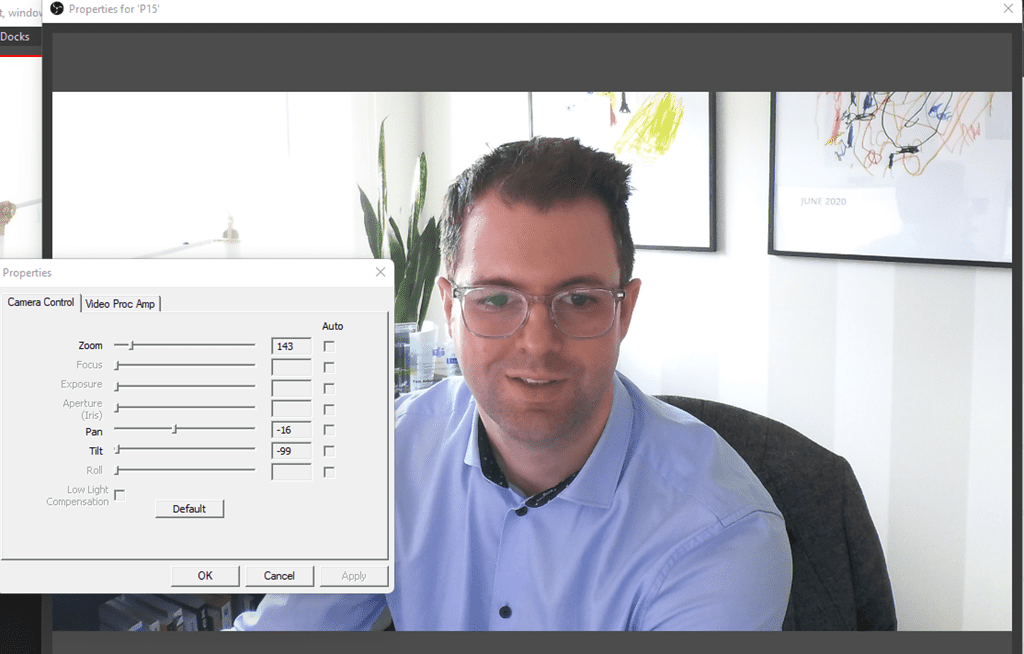
You can feed the camera through OBS and then manually change the camera properties with the windows controls
Be First to Comment