I hit an issue today I haven’t hit before. I was deploying a net vx gateway and I hit the following error when trying to upload my config:
“CRITICAL ERROR: IP Adapter #1 Interface ip0 has an invalid IP address: IP address within internal private range
ERROR: DNS entry 1 has bad IP address: IP address within internal private range
ERROR: DNS entry 2 has bad IP address: IP address within internal private range”

The error pointed to an internal IP Range on the gateway. After some points from support I learnt that the net has an internal private IP range and fortunately using the VXbulder tool you can change that range.
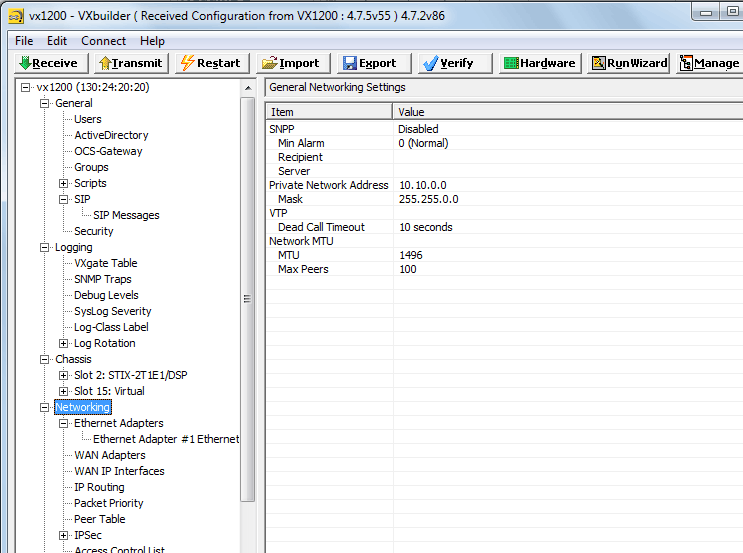

I had happened to be deploying on a network using the 10.10 range. Once I changed the “Private Network Address” to the 172.16.0.0 and a gateway reboot I was fine to upload my config.
Be First to Comment