In a recent lab test I needed a windows 7 VM, but noticed that the VHDX was much larger than the actual disk usage in the VM. With SSD storage being at a premium I wanted to compress the VHDX, but it proved to be a bit tricky


The on machine usage:

I should be able to edit disk and compress in Hyper-V


But this had no effect,
![clip_image001[1]](https://tomtalks.blog/wp-content/uploads/2016/02/clip_image0011.png "clip_image001[1]")
I had to mount the VHDX in windows on the server

Run Optimise on both the disks while they were mounted (right click on the two mounted drives
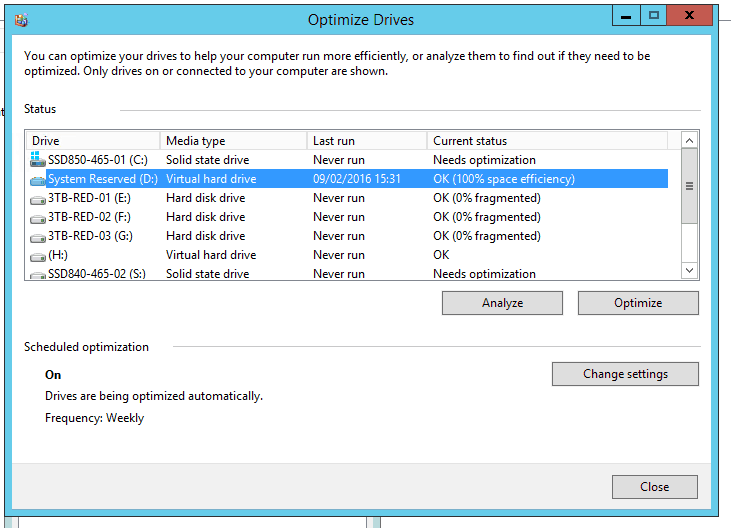
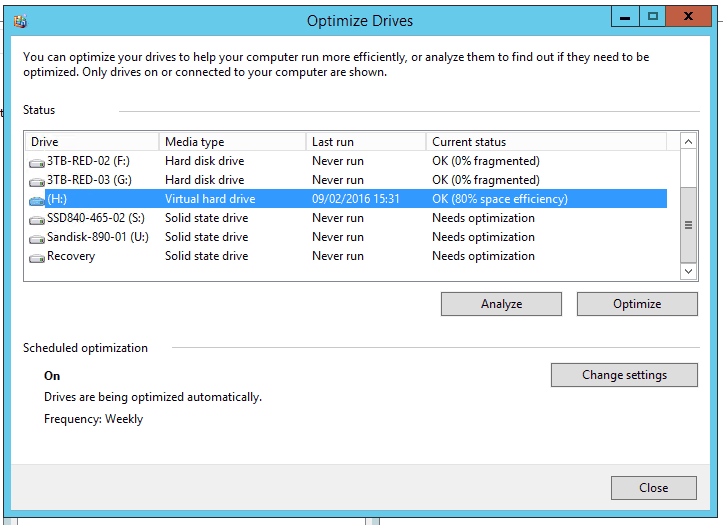
The dismount/eject the drives:
Then Optimise them via PowerShell:
PS C:\Users\Administrator> Optimize-VHD -Path U:\Win7-1\Win7-1.vhdx -Mode Quick
This brought the VHDX down to a more respectable 25GB

This thread really helped:
Particularly twgage’s answer, thanks
Be First to Comment