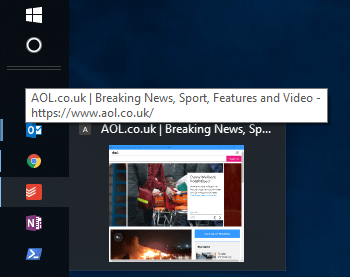
I use a few web apps like Todoist and Dynalist. One of the things I do in chrome is create an “application shortcut” which basically creates a “webapp” in the sense that you get a desktop shortcut and a browser windows with no address bar/navigation buttons and it’s on Icon/Favicon.

Unfortunately it looks like this option has been removed/obscured. I’m not sure why, it was a great feature. Here is what it used to look like:

blog of the original process here: https://www.trishtech.com/2011/08/create-application-shortcuts-to-sites-in-chrome-browser/
Now the only option is “create shortcut”

This does indeed create a shortcut on the desktop. but it no longer uses the favicon and it opens in a regular chrome window alongside all other chrome windows

You can make this slightly better by going to chrome://apps/ in chrome, right clicking on the app and ticking “open as window”


It will now act as a dedicated window and have a dedicated “icon stack” on the taskbar (not get mudded in with other chrome windows
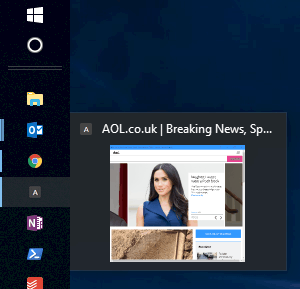
The icon is now generate by chrome (which if you make more than one web app, makes them pretty indistinct. You can change these on the desktop shortcut.
Grab the icon from the site you want via http://www.getfavicon.org/ . This will give you a PNG
You can convert the PNG to an ICO file here: http://icoconvert.com/
You can then change the icon on the desktop shortcut:
I’ve used “Todoists” Icon here on the AOL site, but you get the idea:

A bit of extra work compared to the old 1 click method google provided us, but at least it can still be done.
Thanks to those on this thread for the pointer: https://productforums.google.com/forum/#!topic/chrome/YM7JYa8Dgts
Hello Tom,
Thank you for the useful tutorial. You went to so much trouble to provide these step by step guide with screenshots. I am the developer behind https://www.freeconvert.com/to-ico which allows users to freely convert many image files to ICO format. I hope it can be of use to your audience.
Thank you!