All the Microsoft Ignite Session Videos and PowerPoint are now available on Channel 9. This is a great set of content from Microsoft and the community that Microsoft provide access to free I really encourage you to check it out. Increasingly, with all the fast product changes, these types of sessions are becoming authoritative up to date resources.
I usually use my Get-Channel9Media Script, but various people including Vlad Catrinescu (Hat Tip) beat me to the punch, his script is available here:
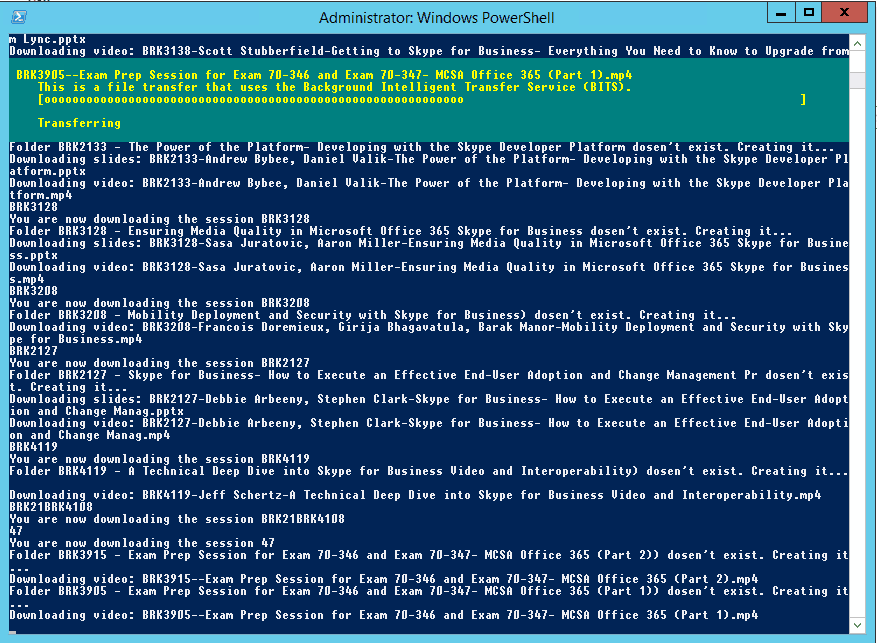
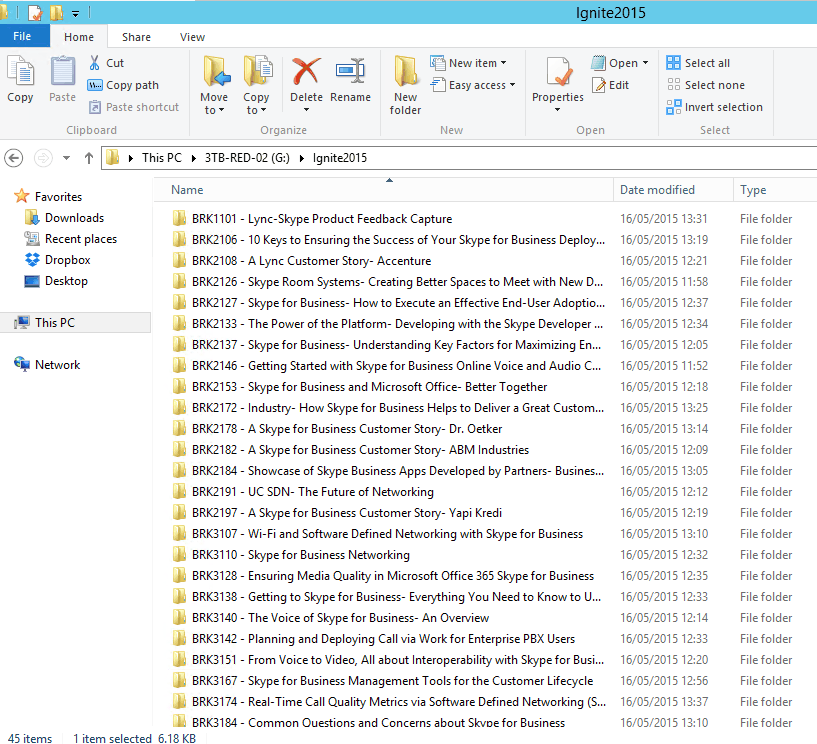
If you run it with all the Skype for Business Sessions listed, it will download them all into nicely named folders:
.\downloadignitevideosandslidesv4.ps1 -session “BRK4112, FND2201, BRK2146, BRK4128, BRK2126, BRK4122, BRK2137, BRK2182, BRK3198, BRK2191, BRK3140, BRK2153, BRK2197, BRK3151, BRK2108, BRK2155BRK2200, BRK3874, BRK4103, BRK3110, BRK3138, BRK3142, BRK2133, BRK3128, BRK3208, BRK2127, BRK4119, BRK21BRK4108, 47, BRK4107, BRK3167, BRK4100, BRK2184, BRK3107, BRK3184, BRK2178, BRK4129, BRK2106, BRK2172, BRK3205, BRK1101, BRK4108, BRK3174, BRK3200, BRK4102, BRK4118”
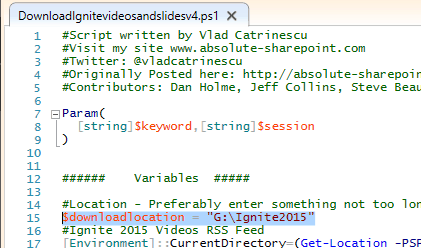
Note the download path is hard coded in the script

Also, be sure to look out for The UC Architects Podcast we recorded live at Ignite with the one and only Jamie Stark of the Skype for Business product group, coming to the RSS soon
Hi Tom,
you should add some extra length-validation to the construct of “destination folder+filename” string, as with those long long descriptive filenames, everybody will run into the 255 character NTFS path length issue, and the session will be unable to save. Also adding check for exotic characters in the session name, that cannot be properly translated into filename string!
thanks Richard, great input. not my script, but I did notice that too.
The command above wasnt working for me, so I had to do the following workaround:
“BRK4112, FND2201, BRK2146, BRK4128, BRK2126, BRK4122, BRK2137, BRK2182, BRK3198, BRK2191, BRK3140, BRK2153, BRK2197, BRK3151, BRK2108, BRK2155BRK2200, BRK3874, BRK4103, BRK3110, BRK3138, BRK3142, BRK2133,
BRK3128, BRK3208, BRK2127, BRK4119, BRK21BRK4108, 47, BRK4107, BRK3167, BRK4100, BRK2184, BRK3107, BRK3184, BRK2178, BRK4129, BRK2106, BRK2172, BRK3205, BRK1101, BRK4108, BRK3174, BRK3200, BRK4102, BRK4118” -split ‘, ‘ | %{ .\downloadignitevideosandslidesv4.ps1 -session $_}
Thanks Tom, good work.
cheers Danny
Thanks for sharing this
Hi Tom,
Script will only download a session when not specifying any session ID. When using the Session List you posted the only message I get is “You are downloading the session……”
But no Sessions in the C:\Ignite folder.
used the script on two machines. Same problem.
HELP!! :) Regards,
Johan van der Stelt
Nexct | A Vodafone Company
The line posted works for me, can you screenshot your attempt and error?
cheers
Hi Tim,
Also used the cmdlet Dino Caputo posted. Without the spaces its working fine.
regards,
Johan van der Stelt
Nexct | A Vodafone Company
I mean Tom
Sorry :) Typo
No worries :-)
Thanks Tom. I used the following which worked well for me (I removed all the spaces and cleaned up a couple of session titles:
.\downloadignitevideosandslidesv4.ps1 -session “BRK4112,FND2201,BRK2146,BRK4128,BRK2126,BRK4122,BRK2137,BRK2182,BRK3198,BRK2191,BRK3140,BRK2153,BRK2197,BRK3151,BRK2108,BRK2155,BRK2200,BRK3874,BRK4103,BRK3110,BRK3138,BRK3142,BRK2133,BRK3128,BRK3208,BRK2127,BRK4119,BRK2147,BRK4108,BRK4107,BRK3167,BRK4100,BRK2184,BRK3107,BRK3184,BRK2178,BRK4129,BRK2106,BRK2172,BRK3205,BRK1101,BRK4108,BRK3174,BRK3200,BRK4102,BRK4118”
Thanks for Sharing Dino!
Tom
[…] https://tomtalks.mystagingwebsite.com/2015/05/download-all-the-skype-for-business-ignite-sessions/ […]
[…] previous years various community members and myself have written PowerShell scripts to grab all the content for offline viewing. Indeed Michel de Rooij has written a script to […]
[…] this year? no problem, or at least, you can get the juice of the sessions and slide decks using this Powershell Script to download them all (or maybe download the ones you are interested in), you can select the quality […]